

In the fast-evolving world of cybersecurity, hands-on experience is everything. That’s where PicoCTF & Flipper Zero shine in 2026. PicoCTF offers an accessible entry into capture-the-flag (CTF) challenges, ideal for students honing their hacking skills legally and ethically. Meanwhile, Flipper Zero is the Swiss Army knife for hardware enthusiasts, enabling exploration of wireless protocols, RFID, and more. Together, they form a powerful duo for learning pentesting without breaking the bank.
Whether you’re a student eyeing a cybersecurity career or a pro setting up a home lab on a mini PC, PicoCTF & Flipper Zero provide real-world practice. We recommend pairing them with a solid student laptop featuring TPM 2.0 for secure boot and ample RAM for running virtual machines. In this guide, we’ll explore what makes PicoCTF & Flipper Zero essential, how to get started, and tips to maximize your setup. If you’re choosing hardware, check our guide on the best laptops for cybersecurity students.
The beauty of PicoCTF & Flipper Zero lies in their accessibility. PicoCTF runs in your browser or on any modern PC with Wi-Fi 6E for smooth challenge access. Flipper Zero connects via USB to your gaming PC or AI server for firmware updates and data analysis. No need for high-end RTX GPUs unless you’re diving into GPU-accelerated cracking tools later. With NVMe SSD storage, you’ll handle challenge downloads swiftly. Stay tuned as we break it down step by step.
Understanding PicoCTF: The Gateway to CTF Challenges
PicoCTF, created by Carnegie Mellon University, is a free annual competition packed with hundreds of challenges across web exploitation, cryptography, forensics, and reverse engineering. In 2026, expect even more AI-themed puzzles testing your skills against modern threats. It’s perfect for students using a basic cybersecurity PC or laptop.
To dive in, sign up on the official site and start with beginner tracks. You’ll need a setup with at least 16GB DDR5 RAM to multitask between challenges and tools like Burp Suite or Wireshark. We love how it encourages safe practice – no real systems at risk. Pro tip: Use a mini PC with NPU for local AI analysis of challenge outputs, speeding up your solves.
For seamless experience, ensure your device has TPM 2.0 enabled for encrypted challenge files. Pair it with our how-to setup mini PC for students to create a dedicated CTF station.
Flipper Zero: Your Portable Pentesting Multi-Tool
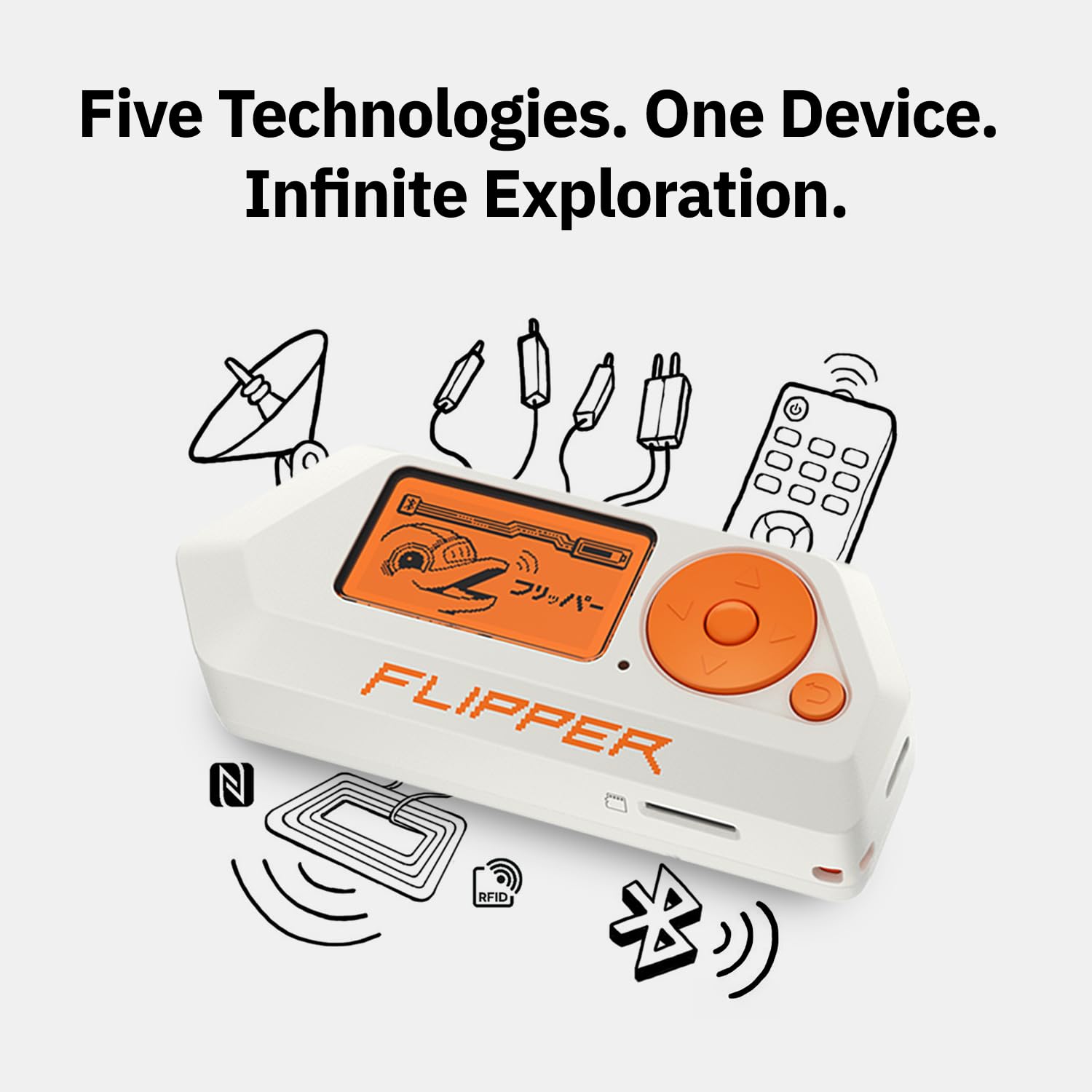
Flipper Zero is a compact, open-source device resembling a retro game console but loaded with capabilities for sub-GHz radio, NFC, infrared, and GPIO experiments. In 2026, it’s a must-have for cybersecurity hardware enthusiasts, especially with community firmware expanding its reach.
Connect it to your gaming PC via USB for advanced tasks like signal replay or BadUSB attacks in controlled environments. Its ARM-based processor pairs well with laptops featuring NVMe SSDs for storing captured data. Security pros use it alongside Kali Linux on a cybersecurity PC to simulate real-world IoT vulnerabilities.
Design-wise, it’s ultra-portable, fitting student backpacks. Power it with a reliable cooling setup if flashing custom apps frequently. Always prioritize ethics – Flipper Zero shines in red teaming and awareness training.
Setting Up Your PC for PicoCTF & Flipper Zero Success
Start with hardware: A student laptop with Intel Core i7 or AMD Ryzen 7, 32GB RAM, and Wi-Fi 6E ensures lag-free PicoCTF sessions and Flipper firmware updates. For deeper dives, a mini PC or AI server with dedicated NPU accelerates machine learning-based crypto challenges.
- Install Kali Linux or Parrot OS in a VM using VirtualBox or VMware.
- Enable TPM 2.0 in BIOS for secure key storage.
- Update Flipper via qFlipper app on your host OS.
Our guide to setting up a local AI server on a mini PC is great for advanced PicoCTF & Flipper Zero workflows involving AI decoders.
Hands-On Projects Combining PicoCTF & Flipper Zero
Combine PicoCTF crypto challenges with Flipper Zero’s RFID emulation for practical forensics. Or use Flipper’s sub-GHz sniffer to capture signals, then analyze in PicoCTF-style reverse engineering tasks on your gaming PC.
Project idea: Emulate a keyfob with Flipper, then crack it using PicoCTF tools like Hashcat on an RTX GPU-equipped rig. This builds skills in hardware-software integration, vital for cybersecurity careers.
Benefits and Trends for PicoCTF & Flipper Zero in 2026
PicoCTF & Flipper Zero democratize learning. Trends show rising integration with AI servers for automated pentesting. Students benefit from portable setups, while pros use them in CTF teams. Cooling matters for long sessions – opt for laptops with vapor chambers.
Compared to full pentest kits, PicoCTF & Flipper Zero are affordable starters. Explore more in our blog for staying ahead.
Final Thoughts
PicoCTF & Flipper Zero in 2026 are game-changers for cybersecurity education. Start with PicoCTF for challenges, add Flipper Zero for hardware fun, and scale to mini PCs or AI servers. We encourage ethical use and continuous learning. Ready to level up? Dive in today and build your skills securely.
FAQs
What is the best PC setup for PicoCTF & Flipper Zero?
A student laptop with 32GB RAM, TPM 2.0, and NVMe SSD works great. For advanced use, consider a mini PC with NPU.
Can I use PicoCTF & Flipper Zero on a gaming PC?
Absolutely! RTX GPUs speed up cracking tools, perfect for PicoCTF and Flipper data analysis.
Is Flipper Zero legal with PicoCTF?
Yes, when used ethically in learning environments like PicoCTF challenges.
How do PicoCTF & Flipper Zero help cybersecurity students?
They provide practical, hands-on experience in a safe, legal way.
What’s new for PicoCTF & Flipper Zero in 2026?
Enhanced AI challenges in PicoCTF and community apps for Flipper Zero.



Write Your Review
No reviews yet. Be the first to share your experience!